Call Impostor Shieldthe anti-scam app against the grandparent scam and cloned voices
A suspicious call, a familiar voice asking for an urgent transfer? Call Impostor Shield is an anti-scam app: during the call, your loved one's real phone confirms in one tap that it's really them. It helps against the grandparent scam, or family emergency scam, the grandchild in distress or the child whose phone is supposedly broken, and against phone scams with a cloned voice: AI voice cloning, or voice deepfake, an impersonation that imitates a voice. A voice can be copied. A phone can't.
1 month free · no ads · no account · no phone number
Grandparent scam: verify before you pay
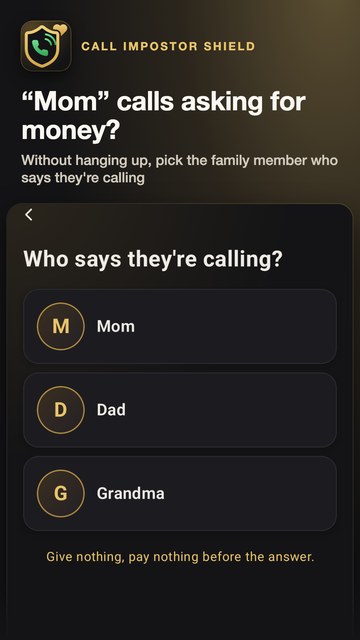
“Grandma, it's me, I'm in trouble, I need money right now.” The grandparent scam always follows the same script: an emergency, a voice that sounds right, and pressure to pay before you think. Call Impostor Shield gives you a simple reflex, without hanging up.
- During a suspicious call, or just after hanging up, pull down Quick Settings and tap the “Check” tile, or the widget with your family's faces, or open the app, then pick the family member who says they're calling.
- Their real phone asks them right away whether they are the one calling you, or who just called you. The question waits 2 minutes for their answer.
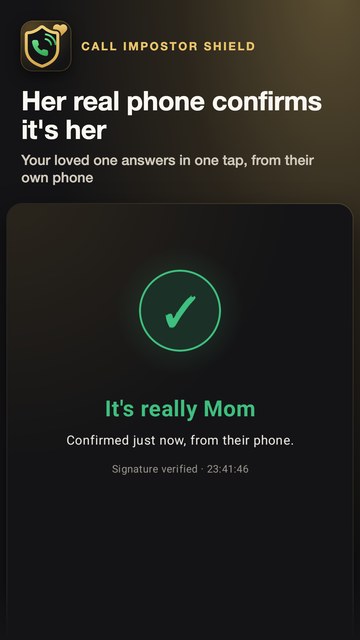
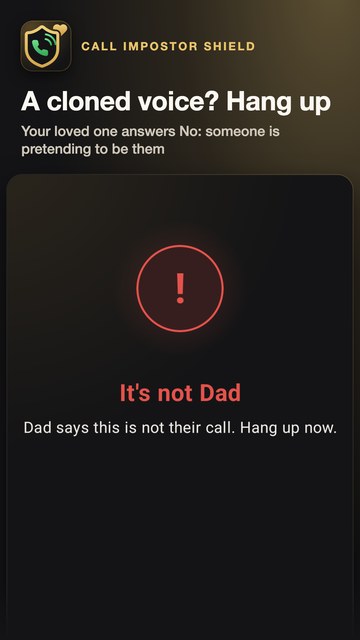
- They answer “Yes, it's me” or “No” in one tap.
- Yes: your phone checks the signature of the answer itself and shows you “It's really them”.
- No: hang up, someone is pretending to be them. No answer: the app tells you plainly and advises you to hang up, then call your family member back on their saved number, and to make no transfer under pressure.
AI voice cloning: why a voice is no longer enough
Voice cloning by artificial intelligence, also called voice deepfake, imitates a familiar voice from just a few seconds of recording. On the phone, recognizing the voice of your son or granddaughter therefore no longer proves that it's really them.
Call Impostor Shield does not try to guess whether a voice is fake: it doesn't listen to it at all. It asks the question in the one place a scammer doesn't control: your loved one's real phone.
- “Yes” requires their face, fingerprint or passcode: a stolen phone is not enough.
- The answer is signed by a key created in the security chip of their phone, which never leaves it. The server can neither forge nor replay an answer.
- If the server can't be reached, the app says so: it never shows a false confirmation.
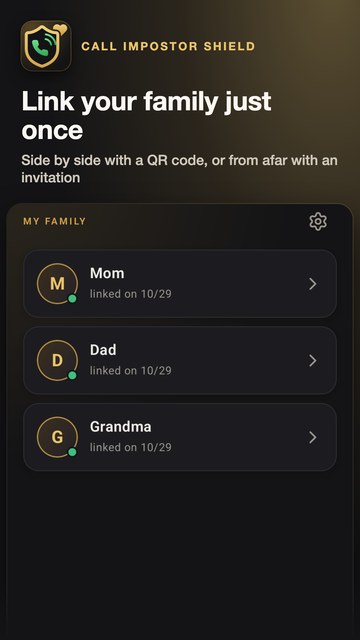
Link your family just once
- Side by side: your family member scans the QR code shown by your app. A few seconds are enough.
- From afar: send an invitation through your usual messaging app, then compare over the phone a 6-digit check code, read aloud. The invitation expires after 24 hours and works only once.
Your family member needs the app too. Once linked, each of you can check the other, and each can link their own family: parents, grandparents, children and grandchildren.
A question that never looks like a scam
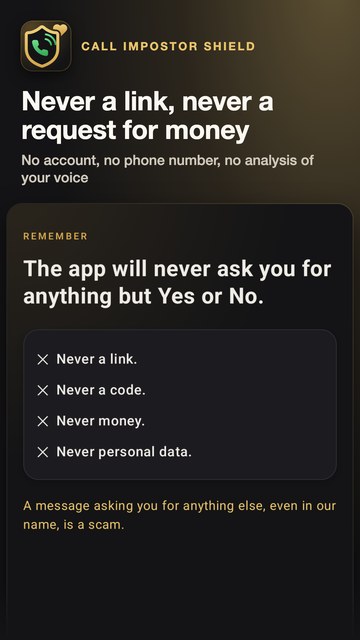
- The app will never ask you for anything but Yes or No: never a link, never a code, never money, never personal data.
- A question can only come from a family member you linked yourself. It shows the name and photo chosen at that moment, and always the same sentence, never free text.
- A message asking you for anything else, even in the app's name, is a scam.
Your data stays on your phone
- No account and no phone number.
- Names, photos and the history of your checks stay on your phone.
- The relay server only passes notifications along. It sees only anonymous IDs, never a name or a number.
- No analysis of your voice, no access to your calls, messages or address book. No location, no ads, no tracking, no data sold or shared.
The details are in the privacy policy, and those of the subscription in the terms of sale.
Frequently asked questions
Is Call Impostor Shield free?
The first month is free from installation, no card needed. Then checking a call needs a Google Play subscription: €1.99 a month or €14.99 a year, paid for the year. No commitment: cancel any time in Google Play, access stays open until the end of the period paid. Answering your family stays free, and checking stays free for those who installed the app before the subscription. No ads.
Does my family member need to install the app?
Yes. It's their own phone that confirms the call, so they need the app too. Once linked, each of you can check the other. Until then, the app offers to write them a text message from your own messaging app, less safe than a signed answer.
What happens if my family member doesn't answer?
The question waits 2 minutes for their answer. Without an answer, the app tells you plainly and advises you to hang up, then call your family member back on their saved number, and to make no transfer under pressure.
Does the app listen to my calls or analyze my voice?
No. It has no access to your calls, messages or address book, and analyzes no voice. It doesn't block calls and detects nothing automatically: your family member confirms, from their own phone.
Can I hang up first?
Yes. The question also covers a call that has just ended: your family member's phone asks them whether they are the one calling you, or who just called you. Check before calling back or paying anything.
How do I link a family member who lives far away?
Send them an invitation through your usual messaging app, then compare over the phone the 6-digit check code shown on both your screens. The invitation expires after 24 hours and works only once.
Which phones does the app work on?
On Android 11 or later, through Google Play. The app is available in 28 languages.
An aid to verification: when in doubt, hang up and call your family member back on their usual number. Never give a code, a password or money under the pressure of a call.