
Photothèquesort your photos by date, without duplicates
Photothèque is photo sorting software for Windows. Are your photos scattered across an old PC, external drives, USB sticks and phone backups? Photothèque gathers the photos from several drives and folders, recognises duplicates by their content, then builds a single, complete library with your photos organised by the date they were taken, and proves to you that no photo was lost along the way. Your originals are never modified.
No ads · no account · nothing is sent
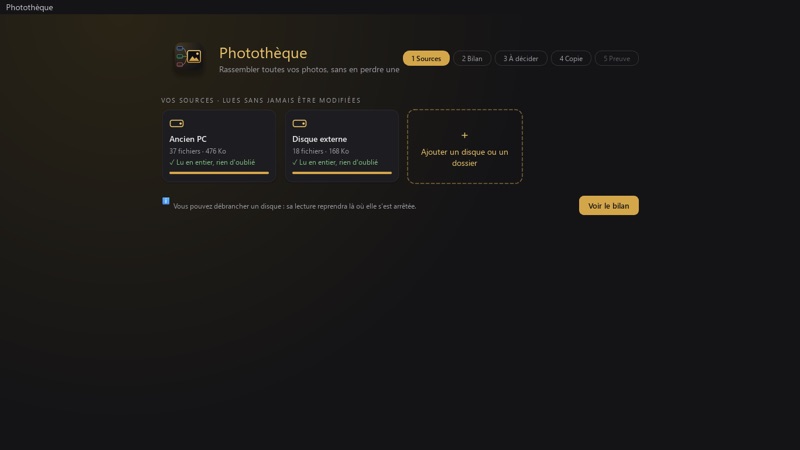
All your photos together, from several drives
Add as many drives and folders as you like: they are read, never modified. A drive can be unplugged midway: reading resumes where it left off.
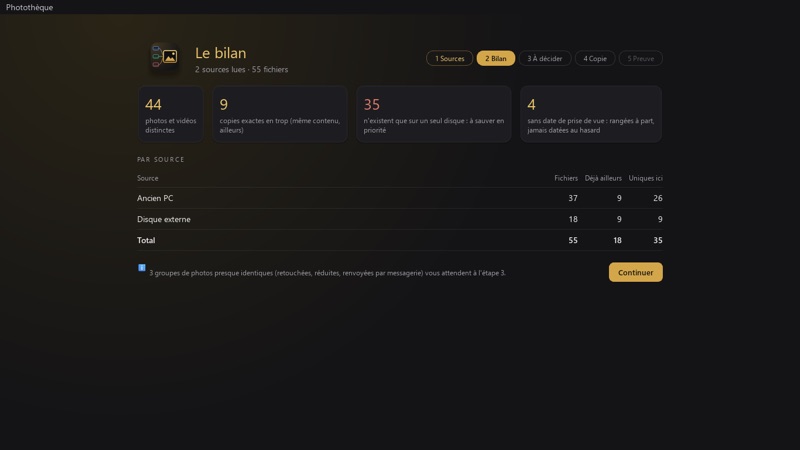
Then comes the report, free of charge: how many photos and videos, how many surplus exact copies, how many exist on only one drive (to save first), how many have no date.
Duplicates recognised by their content
- Exact duplicates: the same content, checked by its SHA-256 fingerprint, never the same name. Two different IMG_0001.jpg files are both kept.
- Near-identical photos (re-exported, recompressed, resized): they are shown to you side by side, and you choose. Nothing is set aside without you.
A library sorted by date taken
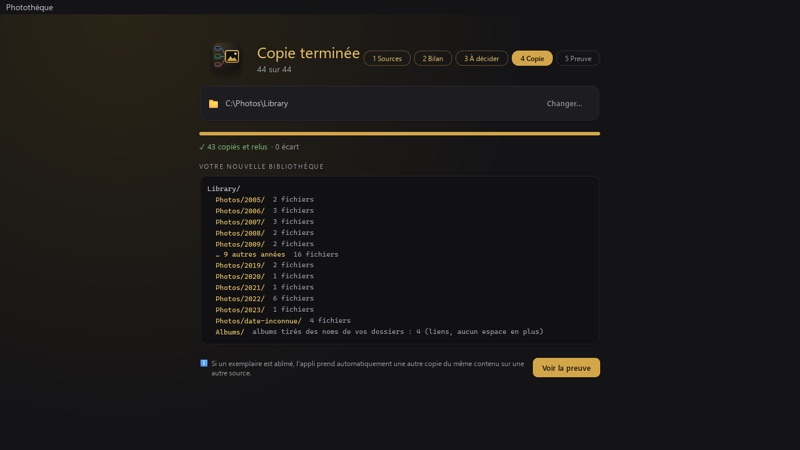
Each photo and each video is copied only once, filed by year and month according to the date it was taken. The month is never made up: a photo without a date goes into a separate folder. The names of your old folders come back as albums, without taking up any extra space.
Proof that no photo was lost
- Verified copy: every copied file is re-read and checked against its SHA-256 fingerprint.
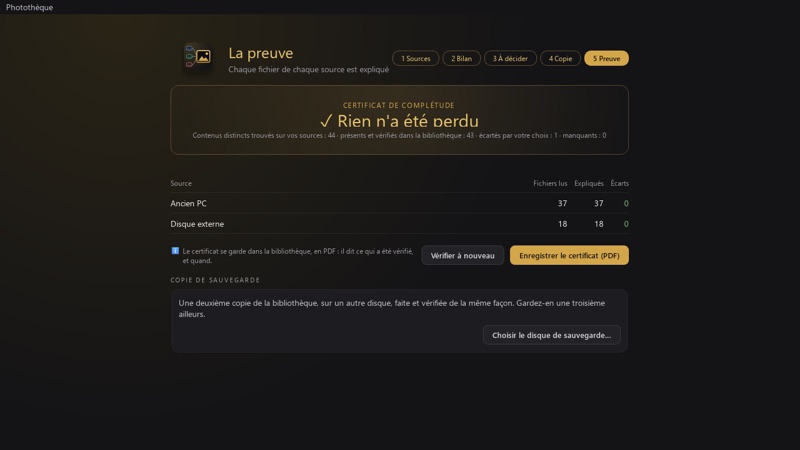
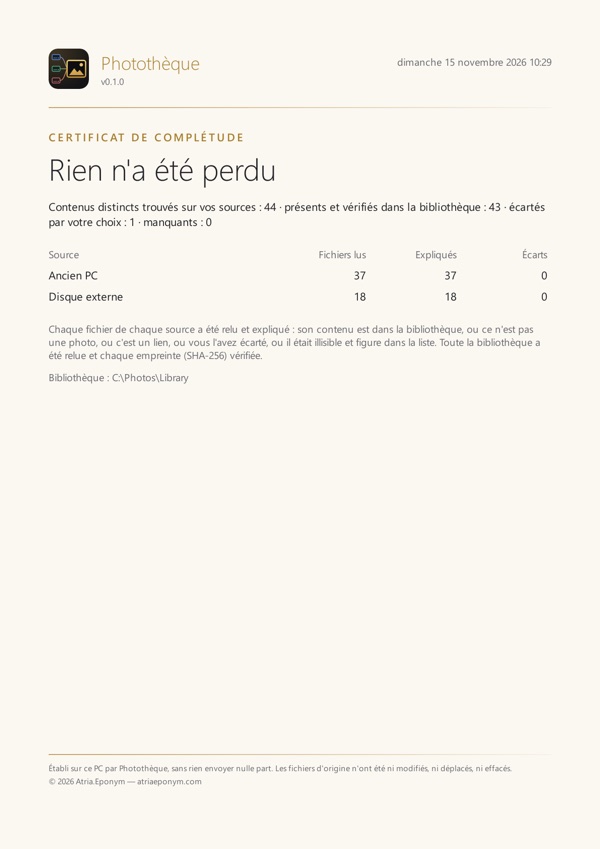
- Completeness certificate (PDF): every file from every source is accounted for, either present in the library or set aside by your choice.
- Backup copy on another drive, verified the same way.
Formats
JPEG, HEIC, PNG, TIFF, WebP, GIF, BMP, AVIF, RAW (Canon CR2/CR3, Nikon NEF, Sony ARW, Fujifilm RAF, Olympus ORF, Panasonic RW2, DNG…) and videos (MOV, MP4, AVI, MTS, MKV…).
Your photos stay intact, and at home
- Photothèque never modifies, moves, renames or deletes a file in your sources: it copies into a new library.
- Everything happens on your PC: no account, no server, no photo sent.
The details are in the privacy policy.
Price: free to read, subscription to copy
- Free: installation, reading your drives and the report.
- Subscription: €2.99 per month or €24.99 per year, for the verified copy, near-identical photos, the certificate and the backup copy.
- No commitment, cancel at any time in your Microsoft account. Payment goes through the Microsoft Store: Atria.Eponym receives neither your card nor your name.
Terms: terms of sale.
Frequently asked questions
How do I sort my photos by date taken on Windows?
Add your drives and folders to Photothèque: it reads the date each photo was taken and files the copy by year and month. A photo without a date goes into a separate folder; its month is never made up.
How does Photothèque recognise duplicates?
By their content: two files are duplicates when their SHA-256 fingerprint is the same, never because they have the same name. Two different IMG_0001.jpg files are both kept.
Are my original photos modified or deleted?
No. Photothèque never modifies, moves, renames or deletes a file in your sources: it copies them into a new library, then re-reads each copy.
What happens to near-identical photos?
Re-exported, recompressed or resized photos are shown to you side by side, and you are the one who chooses. Nothing is set aside without you.
How much does Photothèque cost?
Installation is free, and reading your drives and viewing the report remain free. The verified copy, near-identical photos, the certificate and the backup copy require a subscription: €2.99 per month or €24.99 per year, with no commitment, cancellable at any time in your Microsoft account.
Are my photos sent over the Internet?
No. Everything happens on your PC: no account, no server, no photo sent. The details are in the privacy policy.
Which devices does Photothèque run on?
On PCs with Windows 10 (version 1809) or later, through the Microsoft Store.