
Diapophoto viewer and slideshow, RAW included
Diapo is a photo viewer for Windows and Android. This software shows every photo of a folder or a whole hard drive big on screen, subfolders included, and plays them as an automatic photo slideshow. It reads camera RAW files (Canon CR2 and CR3, Nikon NEF, Sony ARW, DNG…) and opens HEIC photos from phones. One key or one gesture is all it takes to see every photo on the disk, and they are never modified.
No ads · no account · no subscription
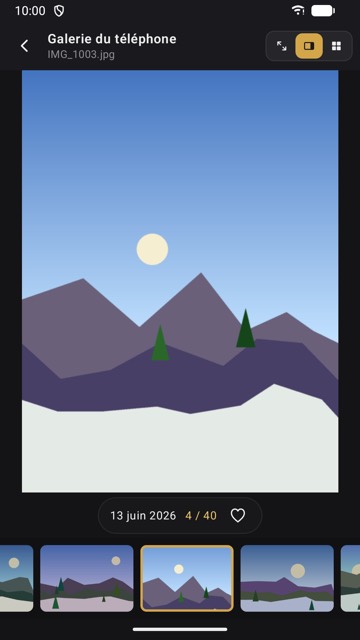
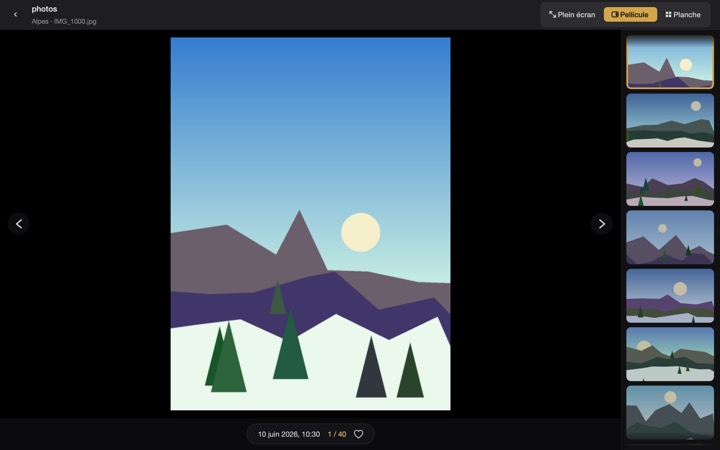
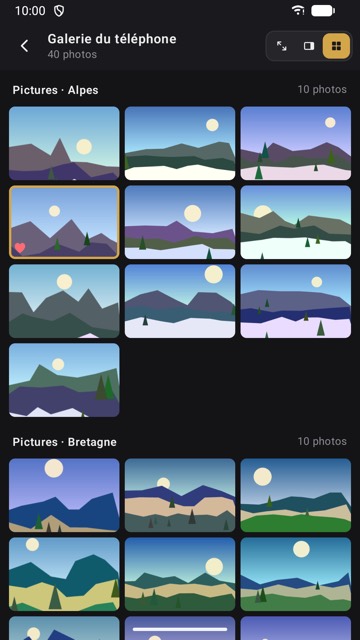
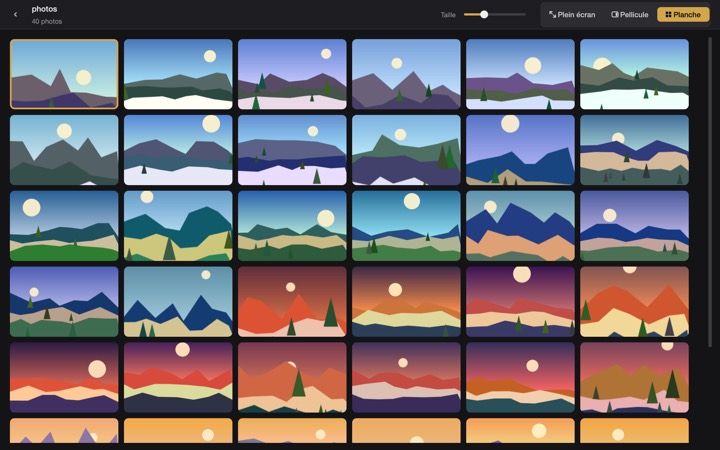
Every photo of a folder or a disk, big on screen
Choose a folder, or a whole disk: Diapo also goes through every subfolder. Three modes, to view them the way you like:
- Full Screen: the photo alone, nothing around it.
- Filmstrip: the photo shown big and a strip of thumbnails to jump further.
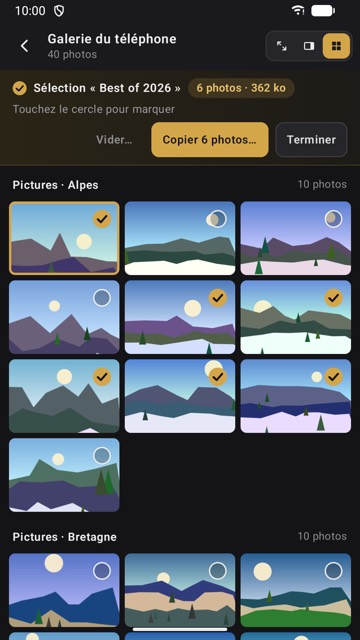
- Contact Sheet: a grid of thumbnails, to see a whole folder at a glance.
Photos are shown the right way up, from their EXIF orientation, and Diapo resumes at the last photo seen in each folder.
A RAW and HEIC viewer
Diapo reads the common formats and camera RAW files, with no separate developing software. For a RAW file, it shows the preview the camera stored in the file: the image appears at once, without waiting for a conversion.
- RAW: Canon CR2 and CR3, Nikon NEF, Sony ARW, Fujifilm RAF, Olympus ORF, Panasonic RW2, Pentax PEF, Samsung SRW and DNG.
- On Windows: JPEG, HEIC, PNG, TIFF, WebP, GIF and BMP.
- On Android: JPEG, HEIC, PNG, WebP, GIF, BMP and AVIF.
An automatic photo slideshow
The Slideshow button plays the photos by themselves, from the home screen or from the photo on screen. A click or a tap pauses it: previous photo, resume, next photo or stop. On a PC, the space bar starts and stops the slideshow.
On Windows PCs and on Android
The core is the same everywhere: three modes, RAW formats, favorites, selections, photos never modified. Each version is made for its device.
On a Windows PC
- A folder or a whole disk; you can also drag a folder into the window.
- Arrow keys ← →, click, mouse wheel or touchpad to move on; Esc to go back.
- The F key adds a photo to Favorites.
- Windows 10 (version 1809) or later, from the Microsoft Store.
On Android
- All the photos on the phone, grouped by folder, or a folder you choose.
- Swipe to change photo, pinch to zoom, double-tap for full screen.
- Android 8 or later, from Google Play.
On iPhone and Mac, Diapo will come to the App Store later.
Favorites and selections to share
A heart adds a photo to your Favorites. To share a batch, open a Selection: mark photos with a click or a tap as you browse your folders, then copy them to a folder. Duplicates are left out based on their content, even when their names differ.
Your photos stay untouched, and on your device
- Diapo never modifies, moves, renames or deletes a photo. It only creates copies, when you ask for them.
- Thumbnails stay in memory while they are shown: no cache is written to the disk.
- No account, no ads, no analytics; no photo is sent over the Internet.
The details are in the privacy policy.
Price: a trial, then a one-time purchase
- On Windows: €2.99 on the Microsoft Store, with a 15-day trial offered by the Store.
- On Android: installing it costs nothing, you try it for 14 days, then a one-time in-app purchase of €2.99 lets you keep using it.
- No subscription. Payment goes through your device's store: Atria.Eponym receives neither your card nor your name.
Frequently asked questions
Which RAW formats can Diapo read?
Canon CR2 and CR3, Nikon NEF, Sony ARW, Fujifilm RAF, Olympus ORF, Panasonic RW2, Pentax PEF, Samsung SRW and DNG, on Windows as on Android. Diapo shows the preview the camera stored in the file, without developing or modifying the RAW.
Can I open iPhone HEIC photos on a Windows PC?
Yes. Diapo reads HEIC and HEIF photos with its own decoder: just open the folder or the disk that holds them.
Does Diapo modify my photos?
No. Diapo never modifies, moves, renames or deletes a photo. It only creates copies, in the folder you choose, when you copy a selection.
How do I start a slideshow?
Tap or click the Slideshow button, from the home screen or from a photo. On a PC, the space bar also starts the slideshow. A click or a tap pauses it.
How much does Diapo cost?
On Windows, €2.99 on the Microsoft Store, with a 15-day trial. On Android, installing it costs nothing, then a one-time in-app purchase of €2.99 lets you keep using it after the 14-day trial. There is no subscription.
Which devices does Diapo run on?
On PCs with Windows 10 (version 1809) or later, from the Microsoft Store, and on Android 8 or later, from Google Play. The iPhone and Mac versions are not on the App Store yet.
Are my photos sent over the Internet?
No. Diapo reads your photos on your device and sends nothing: no account, no ads, no analytics. The details are in the privacy policy.